Settings overview
A map of every settings section.
1 min read
Settings has eight sections, each on its own page. The search box at the top finds any setting.
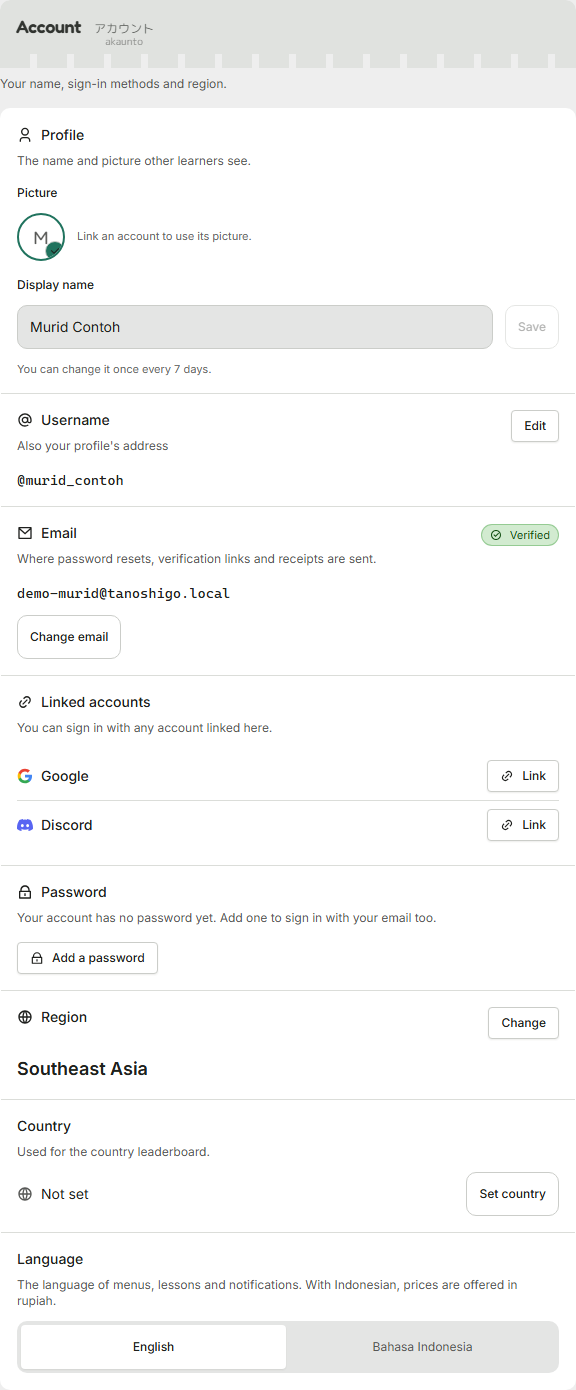
- Account holds your profile, username, email, sign-in methods, password, region, country and language.
- Study holds your JLPT level, what you're here for, daily goal, study pace, difficulty, furigana, romaji and other practice choices.
- Appearance holds theme, color theme, text size, contrast, copy density, the mascot, name color effects and motion.
- Sound sets sound effects, speech speed and autoplay. Notifications sets which types you get and how they arrive.
- Privacy covers friend requests, leaderboards, friend search, blocked users and feedback.
- Plan shows your plan and purchases. Your data has the data download, guided tours, reset progress and delete account.
Changes save as you make them
There is no save button. Each setting saves straight away and shows a short confirmation, so you can change one thing and leave.
Was this helpful?