Appearance
Light and dark, color themes, and effects.
1 min read
Every display option lives in Settings, under Appearance.
Choose light, dark or your device's setting, then pick a color theme for the whole app.
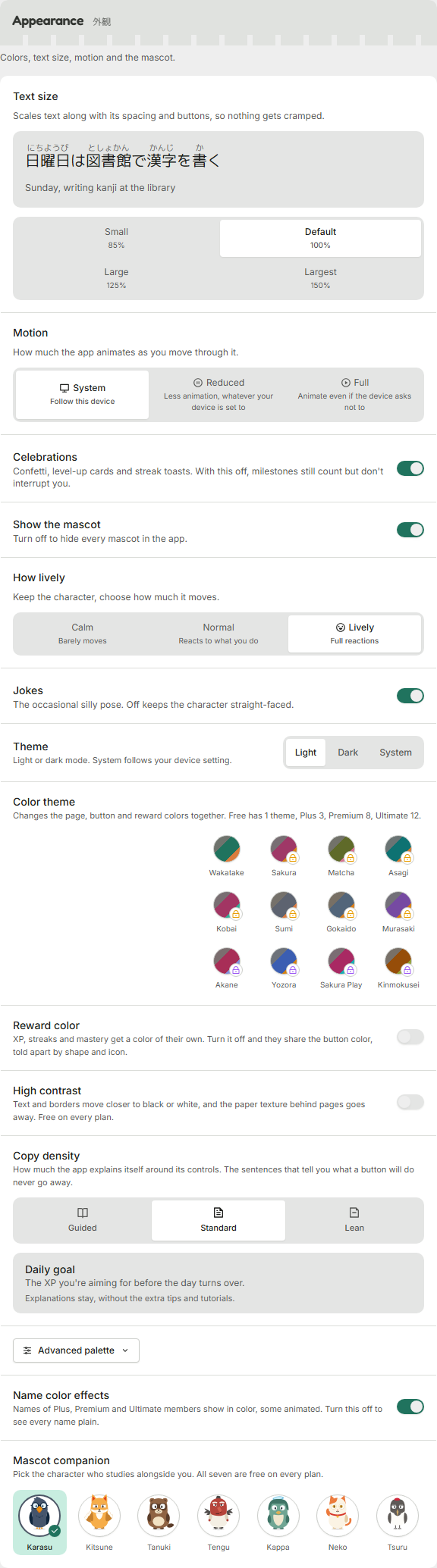
| Plan | Color themes you can pick |
|---|---|
| Free | Wakatake |
| Plus | + Sakura, Matcha |
| Premium | + Asagi, Kobai, Sumi, Gokaido, Murasaki |
| Ultimate | + Akane, Yozora, Sakura Play, Kinmokusei |
A downgrade does not overwrite your choice
If your plan ends while you're using a paid color theme, the app shows the default, but your choice stays saved. Upgrade again and it comes back on its own.
Name color effects, the custom palette and some color themes come with paid plans. Light and dark are free for everyone.
Was this helpful?